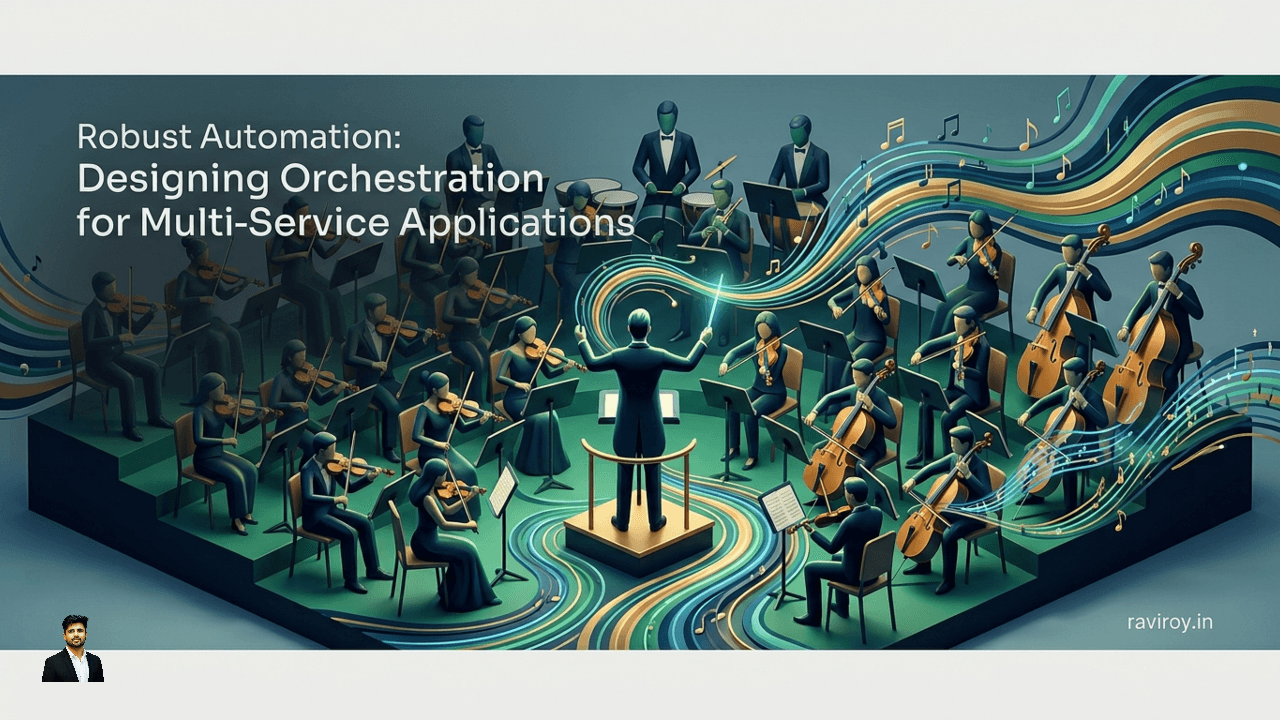
Navigating the intricate landscape of modern software development often feels like conducting a symphony with countless independent musicians. Each microservice plays its part, but without a skilled conductor, chaos can quickly replace harmony. This is precisely where robust automation, especially through workflow orchestration, becomes indispensable for managing multi-service applications. It's the key to transforming a collection of disparate services into a cohesive, reliable, and predictable system.
Beyond Simple Scripts: Understanding Automation and Orchestration
At its core, task automation streamlines individual operations. Think of a script that backs up a database nightly or automatically resizes an image on upload. These are discrete, often atomic actions, focusing on a single, well-defined job.
Workflow automation, however, elevates this by sequencing these tasks into a predefined flow, often involving dependencies and conditional logic. It manages the journey of data or a request through a series of steps, ensuring each step completes before the next begins. This is a significant leap beyond simple scripting, which typically executes a series of commands sequentially without explicit state management across multiple external interactions.
Workflow orchestration takes this a step further, acting as the centralized coordination layer specifically designed for multi-service applications. Unlike simple scripting, which is often stateless and short-lived, or message queues that primarily facilitate decoupled communication, orchestration explicitly manages the state and progress of a long-running business process. It defines, executes, and monitors the entire end-to-end flow, providing a clear, top-down view of how various services interact to achieve a larger goal.
Consider a user onboarding process:
Create user account in Identity Service.
Provision user resources in Cloud Service.
Add user to CRM.
Send welcome email via Notification Service.
A simple script might execute these API calls in order. But what happens if the CRM API fails? The script stops, leaving the user in an inconsistent state. An orchestrator, however, would detect the failure, log it, retry the CRM step, and potentially even trigger a compensation action if the failure is persistent. It centralizes control over these distributed processes, maintaining context and ensuring the entire workflow either completes successfully or fails predictably, often with defined recovery paths.
Why Orchestration is Key for Multi-Service Applications
Modern applications are increasingly built as distributed systems, composed of numerous independent microservices. While this architecture offers agility and scalability, it introduces significant complexity, particularly when it comes to coordinating interdependent operations.
The Challenge of Distributed State
One of the most profound challenges in multi-service applications is managing distributed state. Each microservice owns its data and logic, operating independently. However, many critical business processes (like order fulfillment, payment processing, or user registration) require actions across multiple services to be treated as a single, cohesive unit. This creates a distributed transaction problem: how do you ensure consistency and atomicity when there's no single database to manage the transaction?
For instance, an e-commerce order might involve:
Order Service: Creates the order record.Inventory Service: Decrements stock.Payment Service: Charges the customer's card.Shipping Service: Initiates delivery.
If the payment fails after inventory is decremented, you have an inconsistent state. Without a coordination layer, rolling back changes or retrying steps becomes a manual, error-prone nightmare. Orchestration provides the explicit control needed to manage these dependencies, track the overall progress, and handle failures gracefully across these independent components.
Orchestration vs. Choreography: Making the Right Choice
When designing inter-service communication patterns, two primary approaches emerge: orchestration and choreography. Understanding their differences is crucial for making the right architectural decision.
Choreography is a decentralized approach where services react to events published by other services. There's no central coordinator; services communicate implicitly through events. For example, when the
Order Servicecreates an order, it publishes anOrderCreatedevent. TheInventory Servicesubscribes to this event and decrements stock. ThePayment Servicealso subscribes and processes payment. This pattern offers high decoupling and autonomy for services.Orchestration, as discussed, involves a central orchestrator that explicitly directs the flow of operations. It acts as a conductor, telling each service what to do and when, managing the overall state and handling deviations.
While choreography excels in simpler, less critical flows where high decoupling is paramount, orchestration is often the superior pattern for complex, long-running, and failure-prone business processes.
Consider a user onboarding scenario where a new user signs up, requiring several steps:
User registration with
Identity Service.Profile creation in
User Management Service.Account setup in
Billing Service.Welcome email sent via
Notification Service.Access provisioning in
Authorization Service.
If this were choreographed, each service would publish an event, and the next service would react. While this works, debugging failures, understanding the overall progress, or implementing complex compensation logic (e.g., if authorization fails, refund billing, delete profile) becomes incredibly challenging.
With orchestration, the workflow defines the explicit sequence:
Start -> IdentityService.register() -> UserManagementService.createProfile() -> BillingService.setupAccount() -> NotificationService.sendWelcomeEmail() -> AuthorizationService.provisionAccess() -> EndHere, the orchestrator:
Provides clearer process visibility: You can instantly see the exact step a user is in and whether any step failed.
Facilitates easier error handling: The orchestrator is explicitly designed to catch errors at each step, implement retries, or trigger compensation logic.
Reduces service coupling for complex flows: While the orchestrator itself introduces a central point of control, it reduces the need for individual services to know about the entire business process. Each service only needs to implement its specific API, allowing the orchestrator to stitch them together. Without an orchestrator, services might need to be aware of downstream dependencies for error handling, paradoxically increasing coupling for complex scenarios.
In essence, for business-critical workflows where explicit control, guaranteed execution, and robust error recovery are non-negotiable, orchestration provides a powerful and reliable solution.
Building Robustness: Strategies for Resilient Workflow Automation
Designing automation that can withstand the unpredictable nature of distributed systems requires deliberate strategies to ensure resilience. Failures are inevitable; robust design makes them recoverable.
Idempotency by Design: Ensuring Repeatability
Idempotency is a fundamental concept for fault-tolerant workflows. An operation is idempotent if executing it multiple times produces the same result as executing it once. In a distributed system, network glitches, timeouts, or retries mean that a service might receive the same request multiple times. Without idempotency, this could lead to undesirable side effects, like double-charging a customer or creating duplicate records.
Practical techniques for designing idempotent service operations and workflow steps:
Unique Transaction IDs: Include a unique identifier (e.g., a UUID or correlation ID) with every request. Before processing, the service checks if an operation with that ID has already been successfully processed. If so, it simply returns the previous result without re-executing.
// Pseudocode for an idempotent payment processing endpoint
function processPayment(transactionId, amount, userId) {
    if (database.findCompletedTransaction(transactionId)) {
        return { status: "already_processed", transactionId: transactionId };
    }
    try {
        // Process payment logic
        paymentResult = paymentGateway.charge(amount, userId);
        database.recordTransaction(transactionId, paymentResult);
        return { status: "success", transactionId: transactionId, ...paymentResult };
    } catch (error) {
        database.recordFailedTransaction(transactionId, error); // Important for tracing
        throw error; // Re-throw to allow retries or compensation
    }
}
Conditional Updates/Inserts: For database operations, use conditional logic.
Insert-if-not-exists: When creating a resource, try to insert it only if it doesn't already exist based on a natural key.
Update-if-version-matches (Optimistic Locking): When updating, include a version number or timestamp in the update condition.
UPDATE users SET balance = X, version = Y WHERE id = Z AND version = Y-1. If the version doesn't match, another update occurred concurrently.
State Machines: For workflow steps, ensure each state transition is based on the current state. If a request tries to move an item from "Shipped" to "Processing," the service should recognize this as an invalid or already completed transition.
Smart Retry Mechanisms: Handling Transient Failures
Transient failures—temporary network issues, service restarts, brief database hiccups—are common in distributed systems. Smart retry mechanisms allow workflows to automatically recover from these without human intervention.
Retry Policies:
Exponential Backoff: Instead of retrying immediately, wait progressively longer periods between attempts (e.g., 1 second, then 2, then 4, then 8). This prevents overwhelming an already struggling service and gives it time to recover.
Jitter: Add a small amount of random delay to the backoff time. This prevents a "thundering herd" problem where many clients retry at the exact same moment after an exponential backoff period, potentially creating a new spike of load.
Fixed Interval: For very short-lived operations where immediate retries are acceptable, a fixed delay can be used, but generally less robust than exponential backoff.
Circuit Breakers: Implement the circuit breaker pattern. If a service consistently fails (e.g., 5 consecutive errors), the circuit breaker "opens," preventing further requests from being sent to that service for a set period. This protects the failing service from being overloaded and prevents calling clients from wasting resources on doomed requests. After a timeout, it "half-opens" to allow a few test requests to see if the service has recovered.
Retry Limits and Fallback Strategies: Define a maximum number of retries. If all retries fail, the workflow should transition to a defined failure state, perhaps triggering an alert, placing the item in a Dead-Letter Queue (DLQ) for manual inspection, or initiating a compensation flow.
Compensation and Saga Patterns: Reversing State Changes
Distributed transactions, by their nature, cannot rely on traditional ACID guarantees across services. When a workflow involves multiple services, and a step fails after previous steps have committed their local transactions, you need a way to "undo" or compensate for the successful operations. This is where the Saga pattern and compensation come into play.
A Saga is a sequence of local transactions, where each transaction updates its own service state and publishes an event that triggers the next local transaction in the saga. If a local transaction fails, the saga executes a series of compensating transactions to undo the changes made by the preceding successful local transactions.
Example: Order Fulfillment Saga
Order Service: Creates an
Order(local transaction). PublishesOrderCreatedevent.Payment Service: Processes
PaymentforOrder(local transaction). If successful, publishesPaymentProcessedevent. If fails, publishesPaymentFailedevent.Compensation for PaymentFailed: If payment fails,
Order ServicereceivesPaymentFailedand marksOrderasCancelled.
Inventory Service: Decrements
StockforOrder(local transaction). Triggered byPaymentProcessed. If successful, publishesInventoryDecrementedevent. If fails, publishesInventoryFailedevent.Compensation for InventoryFailed: If inventory fails,
Payment ServicereceivesInventoryFailedand refunds payment (compensating transaction).Order ServicereceivesPaymentRefundedand marksOrderasCancelled.
Shipping Service: Creates
ShipmentforOrder(local transaction). Triggered byInventoryDecremented. If successful, publishesShipmentCreatedevent. If fails, publishesShipmentFailedevent.Compensation for ShipmentFailed: If shipping fails,
Inventory ServicereceivesShipmentFailedand incrementsStock(compensating transaction).Payment ServicereceivesInventoryIncrementedand refunds payment (compensating transaction).Order ServicereceivesPaymentRefundedand marksOrderasCancelled.
This demonstrates backward recovery (compensation), where previous steps are undone. There's also forward recovery, where the workflow attempts alternative actions or routes to achieve the goal, potentially through manual intervention or by re-attempting a different path. The orchestrator is crucial for managing this complex state and triggering the correct compensation or recovery logic.
The Power of Durable Execution in Workflow Design
Imagine a complex business process—say, approving a mortgage application—that takes days or even weeks, involving human approvals, external credit checks, and multiple service interactions. What happens if the workflow engine itself crashes midway through? Without durable execution, all progress would be lost, requiring the entire process to restart from scratch, which is unacceptable for business-critical operations.
Durable execution is the ability for a workflow to survive and resume from failures (such as server crashes, network outages, or application restarts) exactly where it left off, without losing its state or progress. It ensures that long-running processes, no matter how complex or how long they take, will eventually complete as designed.
The underlying mechanisms that enable durable execution typically involve:
Event Sourcing: The workflow's entire history of events (e.g., "Step A started," "Step A completed," "External callback received") is recorded in a persistent, append-only log.
Persistent State: The current state of the workflow (e.g., which step is active, any variables) is regularly saved to a durable storage like a database.
Replayable History: Upon recovery from a crash, the workflow engine can replay the event history from the durable log to reconstruct the exact state of the workflow and deterministically resume execution from the last uncompleted step. This requires the workflow code itself to be deterministic—meaning it produces the same output given the same input, every time.
This capability is vital for ensuring progress and consistency in processes that might run for days, weeks, or even longer. For instance:
Financial Transactions: A multi-stage payment settlement process involving external banks and various fraud checks over several days.
Supply Chain Management: Tracking a complex shipment across international borders, involving customs, multiple carriers, and warehouses, each step potentially taking days to complete.
Data Ingestion and ETL Pipelines: Long-running data transformations that must pick up exactly where they left off if a processing node fails.
User Onboarding with Approvals: A new user requires departmental approvals, background checks, and provisioning that can span several days.
Durable execution guarantees that once a workflow starts, it will either reach its successful conclusion or a defined failure state, regardless of underlying infrastructure volatility. This provides immense confidence in the reliability and business continuity of automated processes.
Managing Workflows Like Production Software
To truly leverage the power of orchestration, workflow definitions cannot be treated as throwaway scripts. They must be managed with the same rigor and discipline applied to any other piece of production software.
Version Control and Modularity for Scalability
Treat Workflows as Code: Workflow definitions (whether they are expressed in YAML, a Domain Specific Language (DSL), or actual programming languages like Python or TypeScript) should reside in version control systems (e.g., Git). This enables collaborative development, a clear history of changes, rollbacks to previous versions, and adherence to software development best practices.
CI/CD Pipelines: Integrate workflow deployments into your existing Continuous Integration/Continuous Deployment (CI/CD) pipelines. This automates testing, validation, and deployment, ensuring that only thoroughly vetted workflows reach production.
Modular Workflow Design: Break down complex workflows into smaller, reusable sub-workflows or activities. This promotes reusability (e.g., a "Send Notification" sub-workflow), reduces complexity, and makes individual components easier to test and maintain. Think of them as functions or microservices within your workflow logic.
Comprehensive Testing Strategies
Robust workflows require robust testing at multiple levels:
Unit Testing Individual Steps/Activities: Test the logic of each discrete task or activity in isolation. Ensure it handles expected inputs, produces correct outputs, and gracefully manages errors. Mock any external dependencies.
Integration Testing Service Interactions: Test how the workflow interacts with its direct service dependencies. Use mock services or a controlled staging environment to simulate the behavior of external APIs without impacting live systems. Focus on message formats, error responses, and retry behaviors.
End-to-End Testing Full Process Flows: Deploy the complete workflow in a staging environment that closely mirrors production. Execute typical and edge-case scenarios (including failures) to verify the entire process from start to finish. This is crucial for validating compensation logic and durable execution.
Deterministic Testing Environments: Strive for deterministic tests. For workflows, this often means controlling time (e.g., freezing or fast-forwarding to test timeouts), providing predictable external service responses, and using mock external systems to ensure tests are repeatable and reliable.
Observability and Monitoring Essentials
Once workflows are in production, understanding their health and performance is paramount.
Key Metrics to Monitor:
Latency/Duration: How long does a workflow take to complete overall, and how long does each step take?
Throughput: How many workflows are started/completed per unit of time?
Success/Failure Rates: Percentage of workflows that complete successfully vs. those that fail.
State Transitions: Monitor how many workflows are in each state (e.g., "pending approval," "retrying," "completed").
Error Rates per Step: Pinpoint specific steps causing issues.
Structured Logging: Ensure all workflow events and service interactions are logged in a structured format (e.g., JSON). Include correlation IDs to easily trace a single workflow's journey across multiple services and logs.
Tracing: Implement distributed tracing (e.g., OpenTelemetry, Jaeger) to visualize the entire execution path of a workflow, including calls to downstream services. This is invaluable for debugging performance bottlenecks and understanding complex inter-service dependencies.
Alerting: Configure proactive alerts for critical conditions:
High failure rates for specific workflows or steps.
Workflows stuck in a particular state for too long (timeouts).
Significant deviations from baseline latency or throughput.
By treating workflows as first-class citizens in your software development lifecycle, you build not just automation, but a reliable, maintainable, and scalable system.
Selecting the Right Orchestration Platform for Your Needs
The market offers a diverse array of orchestration platforms, each with its strengths. Choosing the right one involves evaluating several critical factors against your specific project requirements.
Critical factors for evaluating orchestration engines:
Scalability: Can the platform handle your expected volume of concurrent workflows and tasks without performance degradation?
Fault Tolerance & Durability: How inherently resilient is the platform? Does it support durable execution, retries, and compensation patterns out-of-the-box?
Developer Experience: How easy is it for your team to define, test, and deploy workflows? Consider the API, SDKs, UI, and debugging tools.
Language Support: Does it support the programming languages your team is proficient in?
Cost Model: Understand the pricing structure (per execution, per task, per active workflow, compute resources). This includes both operational costs and potential vendor lock-in.
Community/Vendor Support: Is there an active community, good documentation, and responsive vendor support for commercial platforms?
Deployment Model: Is it cloud-native, self-hosted, or a managed service?
Categorizing different types of orchestration tools:
General-Purpose Workflow Engines: These platforms offer robust, often open-source solutions for complex, long-running, and event-driven workflows.
Temporal/Cadence: Designed for durable execution, allowing developers to write workflows as ordinary code without worrying about persistence or fault tolerance. Excellent for long-running, highly reliable processes.
Apache Airflow: Primarily focused on batch processing and ETL pipelines, with a strong emphasis on directed acyclic graphs (DAGs). Powerful for scheduled data-driven tasks, but less suited for real-time, event-driven, or human-in-the-loop workflows.
Camunda: A powerful Business Process Management (BPM) platform that implements BPMN (Business Process Model and Notation) for visual workflow design, often used for human-in-the-loop processes and integrating with legacy systems.
Cloud-Native Services: These are managed services offered by cloud providers, deeply integrated into their ecosystems.
AWS Step Functions: A serverless workflow service that allows visual definition of state machines. Excellent for orchestrating AWS services and handling failures gracefully.
Azure Logic Apps: Similar to Step Functions, providing a visual designer and connectors to hundreds of services, both Microsoft and third-party.
Google Cloud Workflows: A fully managed orchestration platform that executes services in a defined order using HTTP requests and handles retries, steps, and conditions.
Specialized Platforms: Tools designed for specific domains (e.g., Mulesoft for integration, Prefect for data orchestration).
Guidance on matching platform capabilities to project requirements:
High-latency, long-running, business-critical processes with complex error handling and human interaction: Look towards durable execution platforms like Temporal/Cadence or BPM tools like Camunda.
Data processing, ETL, and scheduled batch jobs: Apache Airflow is a strong contender.
Cloud-first architectures needing tight integration with cloud services, serverless operations, and visual design: AWS Step Functions, Azure Logic Apps, or Google Cloud Workflows are excellent choices.
Small teams or prototypes: Start with simpler, often cloud-native, services that minimize operational overhead.
Compliance and data residency requirements: This might push you towards self-hosted solutions or specific cloud regions/providers.
Always consider the importance of open standards (like BPMN or CloudEvents) where possible to reduce vendor lock-in and increase portability of your workflow definitions. A thorough proof-of-concept with a few candidate platforms can illuminate the best fit for your team and organization.
What unique challenges have you faced when implementing durable execution in your multi-service applications, and how did you overcome them?
💬 Join the conversation — share your take in the comments and tell us what you’d add.