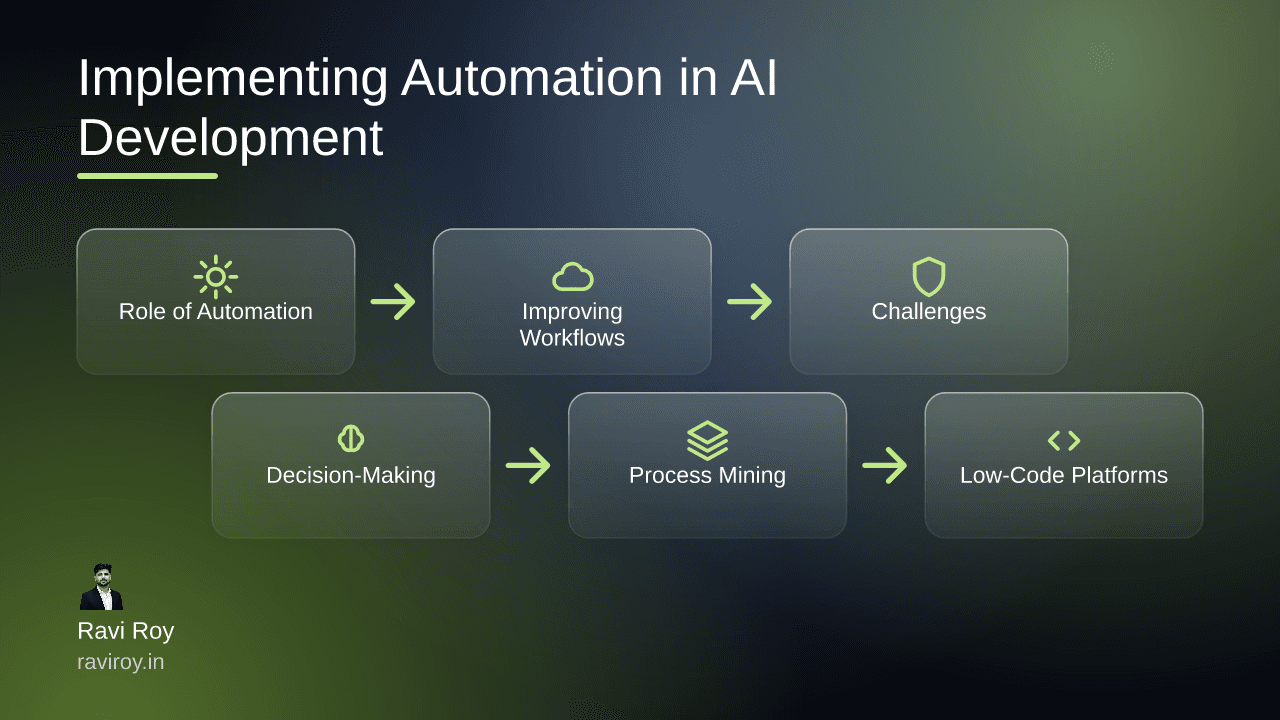
The Role of Automation in AI Development
The integration of automation within AI development is not just a trend; it’s a necessity. As AI projects grow in complexity, the demand for efficient workflows becomes paramount.
Understanding Automation in AI
Automation refers to the technology that performs tasks without human intervention, particularly relevant in AI development for enhancing efficiency. By automating repetitive and time-consuming tasks, organizations can significantly accelerate the development process, reducing errors while increasing scalability. AI models are intricately tied to data—automation allows for seamless handling of vast datasets, mitigating human error and freeing up valuable resources for creative tasks.
Key Benefits of Automation
Implementing automation within AI development offers substantial benefits:
Speed: Automation minimizes the time required to execute repetitive tasks, allowing developers to focus on more complex challenges.
Accuracy: Automated processes are less prone to human error, ensuring high-quality outputs.
Scalability: With automation in place, scaling operations becomes easier, facilitating the management of larger projects without proportional increases in labor costs.
How Automation Improves AI Workflows
Automation transforms the way teams approach AI development methodologies. Tools like Robotic Process Automation (RPA) and Machine Learning (ML) provide the backbone for creating effective workflows.
Automation Tools and Techniques
RPA and ML are the leading tools in automating workflows within AI projects. RPA is ideal for orchestrating repetitive tasks such as data entry and processing, while ML can foster intelligent decision-making by analyzing data patterns and trends. Automation allows teams to streamline processes, saving time and resources.
Real-World Examples
Consider a leading insurance company that implemented RPA to process claims. By automating the review process, they reduced the claim handling time from days to hours. Similarly, a healthcare provider utilized ML algorithms to predict patient admissions based on historical data, ultimately optimizing staffing requirements. Intelligent document processing not only cut costs but also enhanced the overall efficiency of their operations.
Challenges in Automating AI Development
While the advantages are clear, challenges abound when integrating automation into AI workflows.
Identifying Potential Obstacles
Common challenges include difficulty in integrating automation solutions with existing legacy systems and resistance from stakeholders accustomed to traditional methodologies. Additionally, the initial investment in automation technology might deter some organizations from embarking on this transformative journey.
Mitigation Strategies
To navigate these challenges, gaining stakeholder buy-in is crucial. Transparent discussions about the benefits and a clear vision for implementation can align objectives. Phased implementations can also ease the transition, allowing teams to adapt gradually while continuously evaluating the impact of automation.
Enhancing Decision-Making through AI Automation
Automation doesn’t just streamline workflows; it also refines decision-making processes.
Integrating Automation for Smarter Decisions
Automation empowers organizations to analyze vast datasets quickly, delivering actionable insights in real-time. This capability allows decision-makers to respond more effectively to market changes and operational challenges.
Tools for Enhanced Decision-Making
Platforms such as Tableau and Power BI have integrated automation features that enable users to create dashboards and reports with minimal manual input. These tools can process data flows automatically, turning information into insights at incredible speeds, crucial for strategic decision-making.
Adopting Process Mining for Continuous Improvement
As organizations automate workflows, the focus must shift toward continuous improvement.
What is Process Mining?
Process mining is an analytical technique that enables organizations to visualize their actual workflows, identifying inefficiencies and bottlenecks. By analyzing historical event logs from various systems, companies can pinpoint areas for improvement.
Benefits of Process Mining in AI Workflows
Implementing process mining can lead to enhanced efficiency in automated workflows. By continually assessing and refining processes, organizations not only optimize their operations but also enhance compliance and customer satisfaction.
The Rise of Low-Code and No-Code Platforms
An exciting development in the automation landscape is the rise of low-code and no-code platforms.
Democratizing Workflow Automation
These platforms empower non-technical users to automate processes without the need for extensive coding knowledge. The ability to create workflows through drag-and-drop interfaces enables faster solution deployment and broader participation across teams.
Popular Low-Code Solutions
Notable platforms such as Mendix, OutSystems, and Airtable provide user-friendly interfaces that facilitate quick integration of automation. Their accessibility allows teams to innovate and improve processes with minimal friction.
Steps to Implement Automation in Legacy Systems
For many organizations, implementing automation in legacy systems is critical yet challenging.
Assessing Current Workflow
Begin with a thorough assessment of existing workflows. Identify repetitive tasks that can be automated and evaluate the overall processes to understand existing bottlenecks or inefficiencies.
Choosing the Right Automation Tools
Selecting automation tools that align with legacy systems is crucial. Consider the following criteria:
Compatibility with existing software.
Scalability to accommodate future growth.
User support and community resources available for troubleshooting.
Conclusion
As automation becomes a cornerstone of AI development, its potential to streamline workflows and enhance decision-making continues to grow. The journey may have challenges, yet the rewards in speed, accuracy, and scalability are well worth the effort.
What challenges have you encountered when integrating automation tools into AI workflows, and how did you address them?
💬 Join the conversation — share your take in the comments and tell us what you’d add.