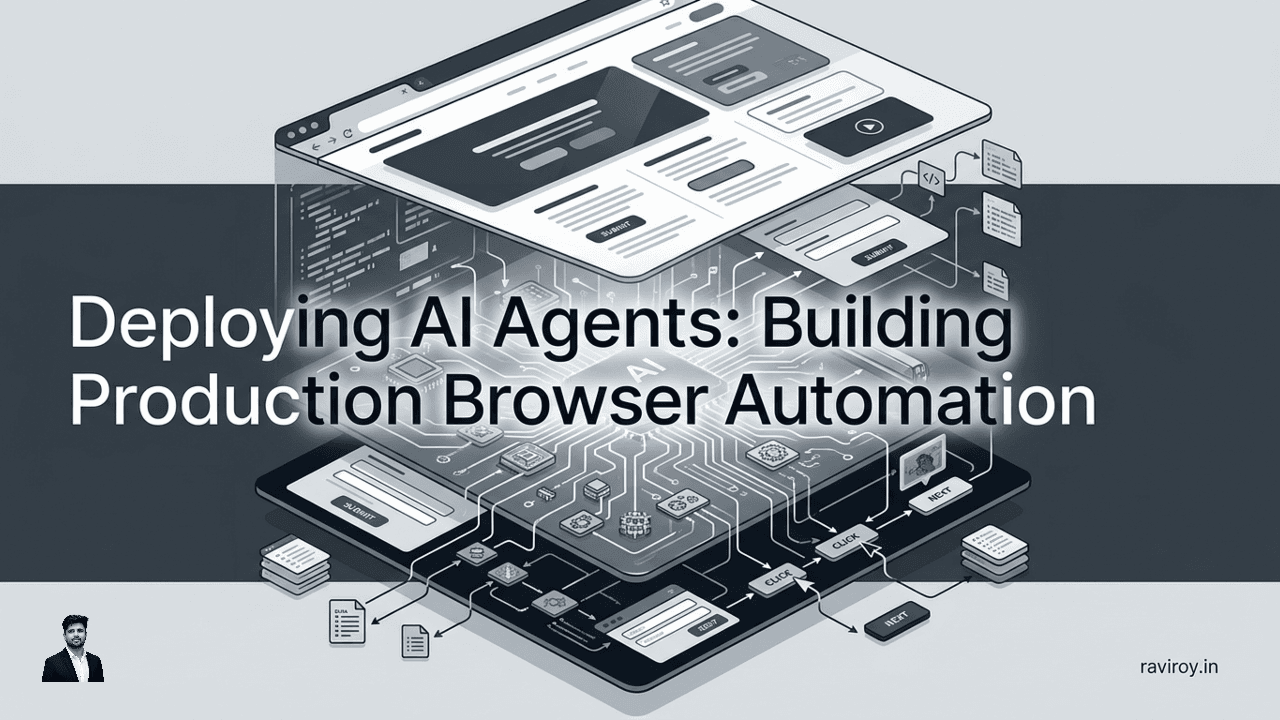
The digital landscape is a torrent of dynamic web pages, each demanding interaction, data extraction, and process automation. Traditional methods often falter against this complexity, but a new era is dawning with the deploying AI agents for robust, production-grade browser automation. These aren't your typical robotic process automation (RPA) scripts; AI agents are intelligent, autonomous entities designed to navigate, understand, and interact with web environments in ways previously unimaginable.
Unlike rigid, scripted automations that break at the slightest UI change, AI agents leverage advanced reasoning and perception to adapt. They represent a significant industry shift towards intelligent, autonomous solutions for complex web tasks, promising unparalleled efficiency and resilience. This guide will walk you through the benefits, architectural considerations, practical implementation, and deployment complexities of bringing AI agents to life in a production setting, unlocking a new level of automated interaction.
Why AI Agents Are the Future of Browser Automation
The limitations of traditional automation methods become painfully clear when faced with the ever-evolving nature of the web. AI agents offer a paradigm shift, moving beyond brittle scripts to truly intelligent interaction.
Beyond Scripted RPA: True Adaptability
Traditional RPA and scripted automations operate on predefined rules and exact element selectors. A minor UI update, a new pop-up, or a rearrangement of elements can instantly render them obsolete, leading to "broken bots" and significant maintenance overhead. AI agents, however, are designed to learn, reason, and adapt.
They move beyond rigid, rule-based automation by understanding context and intent. Instead of looking for an element by a specific id="checkout-button-v1", an AI agent might identify "the button that says 'Proceed to Checkout'" regardless of its underlying HTML attributes or precise on-screen coordinates. This is how AI agents accommodate changes in web pages. They leverage a combination of visual understanding (like a human seeing a webpage) and semantic comprehension (understanding the purpose of elements), allowing them to dynamically locate and interact with elements even if their visual appearance or DOM structure shifts. They can even navigate unexpected CAPTCHAs or consent pop-ups by understanding their function and taking appropriate action.
Enhanced Efficiency and Cost Savings
The adaptability of AI agents directly translates into significant efficiency gains and cost reductions. By reducing the frequency of broken automations, businesses save countless hours that would otherwise be spent on debugging and reprogramming.
Consider a scenario where a company needs to scrape product data from thousands of e-commerce sites. A traditional RPA bot might require individual scripts for each site, plus constant updates as site layouts change. An AI agent, however, could be trained on the concept of "find product name, price, and description," and then apply that understanding across diverse sites. This results in faster process completion, drastically reduced manual intervention, and fewer broken automations, freeing up human resources for higher-value tasks. The agent adapts to new designs, reducing maintenance costs by up to 80% in some cases, and accelerating data acquisition cycles from weeks to days.
Handling Dynamic and Unstructured Web Data
Many valuable insights are locked within complex, non-standard, or constantly evolving web layouts that baffle traditional parsers. AI agents excel here. They can interpret and extract information from seemingly unstructured web pages, much like a human can glance at a page and identify relevant data points.
Imagine an AI agent needing to complete a complex, multi-step online application process. A traditional script would require meticulous mapping of every input field, dropdown, and navigation button. If the application portal updates its layout or adds an intermediate step, the script fails. An AI agent, on the other hand, can interpret the application form, understand the intent behind each field (e.g., "this is for my first name," "this is for my address"), fill in the details, and navigate through the steps autonomously, even if the UI changes slightly between sessions. It can also identify and extract nuanced information, like review sentiment on a product page or specific clauses in a legal document displayed online, that a rule-based system would completely miss.
Architecting Robust AI Agent Systems
Building AI agents for production means more than just throwing an LLM at a browser. It requires a thoughtful architectural approach that prioritizes resilience, adaptability, and clear communication between components.
Core Components of an AI Agent
A typical AI agent for browser automation comprises several key modules working in concert:
Large Language Model (LLM) for Reasoning: This is the "brain" of the agent, responsible for understanding instructions, planning actions, and making decisions. It interprets the current state of the browser and determines the next logical step.
Perception Module (Vision/Text Parsing): This module allows the agent to "see" and "read" the web page. It processes visual inputs (screenshots, element bounding boxes) and textual inputs (DOM snapshots, visible text) to build a comprehensive understanding of the current UI state.
Action Module (Browser Interaction): This module executes the planned actions within the browser. It translates the LLM's decisions into concrete browser commands.
Memory: Essential for maintaining context across multiple steps. Memory can store conversation history, previously extracted data, specific URLs visited, or user credentials, enabling the agent to maintain a coherent state throughout a complex task.
The Browser as a Control Plane
AI agents leverage the browser itself as their primary control plane, both for perception and action. How do AI agents interact with the browser as a control plane? They primarily use:
Inputs:
Document Object Model (DOM): The hierarchical representation of the web page's structure provides a detailed, programmatic view of all elements, their attributes, and relationships.
Visual Cues: Screenshots capture the pixel-perfect rendering of the page, allowing vision models within the Perception module to identify elements, read text, and understand layout from a human-like perspective. Bounding boxes derived from the DOM or visual analysis help pinpoint exact locations of elements.
Interactions:
Standard Browser APIs: Agents interact via common browser APIs and headless browser libraries. These include actions like
click()on a button,type()into an input field,navigate()to a URL,scroll()to view more content, andwaitForSelector()to ensure elements are loaded.JavaScript Injection: For more complex scenarios, agents can inject JavaScript directly into the page to execute custom logic, extract specific data not easily accessible via standard APIs, or manipulate the DOM.
Here's a simplified conceptual flow:
User Instruction -> LLM (Plan)
    |
    v
Browser (Current State: DOM + Screenshot) -> Perception Module (Analyze)
    |
    v
Perception Data + Memory + Goal -> LLM (Decision: Next Action)
    |
    v
Action Module (Execute: Click, Type, Navigate) -> Browser
    |
    v (Loop)
Designing for Adaptability and Resilience
Robust AI agents require meticulous design patterns to withstand the dynamic nature of web pages.
Robust Locators: Instead of brittle CSS selectors (e.g.,
#app > div.main > div:nth-child(2)), use more resilient ones likearia-label,data-testid, or visible text content that are less likely to change. AI agents can also infer element intent from context, making their "locators" even more dynamic.Retry Mechanisms: Implement exponential backoff and retry loops for interactions that might fail due to transient network issues or slow-loading elements.
Self-Correction Loops: If an agent performs an action and the browser state isn't as expected, the agent should be able to detect the deviation (e.g., a "Page not found" error, or the expected element isn't visible) and attempt a different strategy or re-plan its approach.
Clear Error Handling: Define explicit error states and what actions the agent should take (e.g., log the error, take a screenshot, notify an operator, or attempt a fallback).
Graceful Recovery Mechanisms: For example, if a form submission fails, the agent should not just give up but try to re-enter data, refresh the page, or navigate back to the previous step.
Fallback Strategies: Have pre-defined alternative routes or actions for common unexpected scenarios. If a primary data source is unavailable, can the agent try a secondary one?
Building Your AI Agents: Practical Implementation Steps
Moving from architecture to implementation requires a structured approach, focusing on defining clear goals, generating effective training data, and rigorous testing.
Defining Goals and Training Data
The first step in building any AI agent is to precisely define its purpose. Break down complex, end-to-end tasks into smaller, manageable sub-tasks. For example, "Extract all product reviews from Amazon" might become:
Navigate to product page.
Find and click "See all reviews" link.
Scroll to load more reviews (if infinite scroll).
Extract review text, rating, and author.
Navigate to the next page of reviews.
Repeat until no more pages.
Strategies for generating or collecting demonstration data are crucial for training and fine-tuning agents:
Human-in-the-Loop Annotations: Humans perform the task, and their actions (clicks, types, scrolls) along with browser state snapshots are recorded and annotated to explain intent.
Recorded User Sessions: Use browser extensions or tools to record user interactions, generating logs that the agent can learn from.
Synthetic Data Generation: For edge cases or rare scenarios, programmatically create mock web pages and interactions to simulate complex environments. This is particularly useful for robustness testing.
Iterative Development and Testing
Agent development is rarely a one-shot process. It's inherently iterative:
Prototype: Build a basic agent for a core sub-task.
Test: Run it against various real-world scenarios, different browser versions, and even slightly altered UI elements.
Evaluate: Analyze success rates, identify failure modes, and gather logs.
Refine: Update prompts, fine-tune models, adjust action strategies, or add new perception capabilities based on test results.
Repeat: Continuously test across various web states, different browsers (e.g., Chrome, Firefox, Safari compatibility), and rapidly changing UI elements to ensure resilience.
Tools and Frameworks for Agent Creation
A robust AI agent typically integrates multiple technologies:
Headless Browsers: Essential for programmatically controlling a browser without a visible UI.
Puppeteer: Node.js library for controlling Chrome/Chromium.
Playwright: Supports Chromium, Firefox, and WebKit with a unified API across languages (Node.js, Python, Java, .NET).
AI Frameworks: For orchestrating LLMs, memory, and tool usage.
LangChain: Popular for chaining LLMs, agents, and tools.
LlamaIndex: Focused on connecting LLMs to external data sources.
Vision AI Libraries: For parsing screenshots and visual data.
OpenCV: General-purpose computer vision library.
Custom Models: Train your own object detection or OCR models using frameworks like TensorFlow or PyTorch.
Orchestration Platforms: For managing multiple agents, their execution, and data flow. These might be custom-built or use general-purpose workflow engines.
Here's a concrete example of a high-level instruction set (or prompt) for an AI agent to perform a specific, multi-step browser task:
{
  "goal": "Find the price of 'LEGO Star Wars Millennium Falcon' on Amazon.com and add it to the cart, then report the cart subtotal.",
  "steps": [
    {"action": "navigate", "url": "https://www.amazon.com/"},
    {"action": "search", "query": "LEGO Star Wars Millennium Falcon"},
    {"action": "identify_and_click", "target": "product_listing_for_millennium_falcon", "description": "Click the first relevant product link."},
    {"action": "extract_data", "target": "price", "description": "Get the current selling price."},
    {"action": "identify_and_click", "target": "add_to_cart_button"},
    {"action": "confirm_item_in_cart", "item": "LEGO Star Wars Millennium Falcon"},
    {"action": "extract_data", "target": "cart_subtotal", "description": "Get the subtotal from the shopping cart page."}
  ],
  "constraints": [
    "Prioritize official Amazon listings.",
    "Handle 'out of stock' by reporting it and stopping.",
    "If multiple prices, select the lowest current selling price."
  ]
}
An intelligent agent would use its LLM to interpret this, and its perception and action modules to execute, adapting to layout changes between each step.
Deploying and Managing AI Agents in Production
Bringing AI agents into a production environment demands robust infrastructure for deployment, scalability, monitoring, and security.
Orchestration and Scalability
Deploying AI agents requires careful planning to ensure they run reliably and can handle varying workloads.
Containerization (Docker): Packaging agents in Docker containers provides isolated, reproducible environments. Each agent instance runs in its own container, simplifying deployment and dependency management.
Serverless Functions (AWS Lambda, Google Cloud Functions): For event-driven or bursty workloads, serverless platforms can automatically scale agents up and down, paying only for compute time used.
Dedicated Agent Orchestration Platforms: For complex scenarios, platforms like Kubernetes or specialized agent management systems allow for sophisticated scheduling, load balancing, and self-healing capabilities across a cluster of agent instances.
Methods for scaling agents horizontally to handle varying loads and processing volumes effectively include:
Queue-based Processing: Using message queues (e.g., SQS, RabbitMQ) to distribute tasks among a pool of worker agents. When demand increases, more agent containers can be spun up to consume messages from the queue.
Auto-scaling Groups: Cloud providers offer auto-scaling features that automatically adjust the number of agent instances based on predefined metrics like CPU utilization or queue length.
Monitoring, Observability, and Alerting
Once agents are in production, continuous monitoring is paramount to ensure their health and performance. What are the best practices for deploying AI browser automation? Robust monitoring is at the top of the list.
Robust Logging: Implement comprehensive logging at every stage of the agent's execution—each decision by the LLM, each browser action, and any perceived changes in the UI. Log formats should be structured (e.g., JSON) for easy parsing and analysis.
Metrics Collection: Track key performance indicators (KPIs) such as:
Execution Time: Average and percentile completion times for tasks.
Success Rate: Percentage of tasks completed successfully.
Error Types: Categorize common errors (e.g., "element not found," "network error," "LLM hallucination").
Resource Utilization: CPU, memory, and network usage per agent instance.
Dashboards: Visualize these metrics using tools like Grafana or Datadog. Dashboards should offer real-time insights into agent performance, identify bottlenecks, and quickly pinpoint failures.
Automated Alerts: Set up alerts for unexpected behavior (e.g., sudden drop in success rate), prolonged execution times, or specific error patterns. These alerts should notify relevant teams via PagerDuty, Slack, or email, enabling proactive intervention.
Security and Governance Best Practices
Deploying autonomous agents interacting with sensitive data requires strict security and governance measures.
Data Privacy: Ensure agents only access and process data strictly necessary for their task. Anonymize or redact sensitive information where possible. Comply with regulations like GDPR and CCPA.
Access Control: Implement granular access controls for agent execution environments and any databases they interact with. Agents should operate with the principle of least privilege.
Secure Credential Management: Never hardcode API keys, login credentials, or other secrets. Use secure vault systems (e.g., AWS Secrets Manager, HashiCorp Vault) for dynamic retrieval of credentials.
Network Security: Deploy agents within isolated network segments (VPCs) with strict ingress/egress rules to prevent unauthorized access or data exfiltration.
Compliance with Regulations: Regularly audit agent behavior and data handling processes to ensure ongoing compliance with industry-specific regulations.
Version Control: Treat agent code and model configurations as software. Use Git for version control, allowing for rollbacks and collaborative development.
A/B Testing: For evaluating new agent iterations, implement A/B testing frameworks to compare the performance and reliability of different agent versions in parallel before full deployment.
Overcoming Challenges and Looking Ahead
Despite their power, AI agents present unique challenges in deployment and operation. Understanding these and anticipating future trends is key to long-term success.
Debugging and Interpreting Agent Failures
What are the challenges in AI browser automation deployment? Debugging agent failures is notoriously complex due to their autonomous and often opaque decision-making processes.
Trace Logs of Agent Decisions: Implement detailed logging that captures the LLM's reasoning chain—its observations, internal thoughts, and chosen actions at each step. This allows you to reconstruct the agent's "thinking."
Replaying Execution Paths: Tools that can replay an agent's exact browser interactions (including taking screenshots at each step) are invaluable. This helps visually understand where an agent diverged from the intended path.
Visual Debugging Tools: Develop or use tools that overlay agent actions (e.g., bounding boxes for clicks, highlighted text for extractions) onto the browser view, making it easier to diagnose issues.
Handling 'Hallucinations': Like all LLMs, AI agents can sometimes "hallucinate" or misinterpret instructions, leading to unintended actions. Mitigate this by:
Improving Prompts: Make instructions extremely clear, unambiguous, and provide specific examples of desired behavior.
Better Training Data: Fine-tune agents with more diverse and representative demonstration data, especially for edge cases.
Adding Guardrails: Implement explicit checks and safety mechanisms. For example, an agent might be programmed to ask for human confirmation before performing a destructive action or navigating away from a critical page.
The Future of Hybrid Automation
The most effective automation strategies will likely be hybrid systems that combine the strengths of both AI agents and deterministic RPA.
AI for Ambiguity, RPA for Predictability: AI agents can handle the dynamic, unstructured, and adaptive parts of a workflow (e.g., navigating a new website layout, extracting complex text patterns), while traditional RPA can manage the highly structured, repetitive, and rule-based components (e.g., entering data into a fixed CRM form, processing an invoice with a known template).
Human-in-the-Loop AI: Many production workflows will benefit from seamless handoffs between AI agents and human operators, especially for complex decision-making, exception handling, or final approvals.
Ethical Considerations
As AI agents become more autonomous, their deployment necessitates careful ethical consideration.
Mitigating Bias: Ensure the data used to train agents is diverse and free from biases that could lead to unfair or discriminatory actions (e.g., agents disproportionately interacting with certain demographic profiles).
Ensuring Transparency: While agents operate autonomously, their actions should be auditable. It should be possible to explain why an agent took a particular action, even if in retrospect.
Establishing Clear Accountability: Define who is responsible when an autonomous agent makes an error or causes unintended consequences. This involves clear operational guidelines and oversight.
Understanding Societal Impact: Consider the broader implications of deploying autonomous agents, especially concerning job displacement, data privacy, and the potential for misuse. Responsible development means anticipating and addressing these challenges proactively.
Deploying AI agents for production browser automation is a transformative journey that promises unprecedented levels of efficiency and adaptability. By understanding the architectural components, implementing robust development practices, and prioritizing careful management and ethical considerations, organizations can unlock the full potential of this cutting-edge technology.
What's the most surprising behavior you've encountered when deploying AI Agents for browser automation, and how did you debug it?
💬 Join the conversation — share your take in the comments and tell us what you’d add.