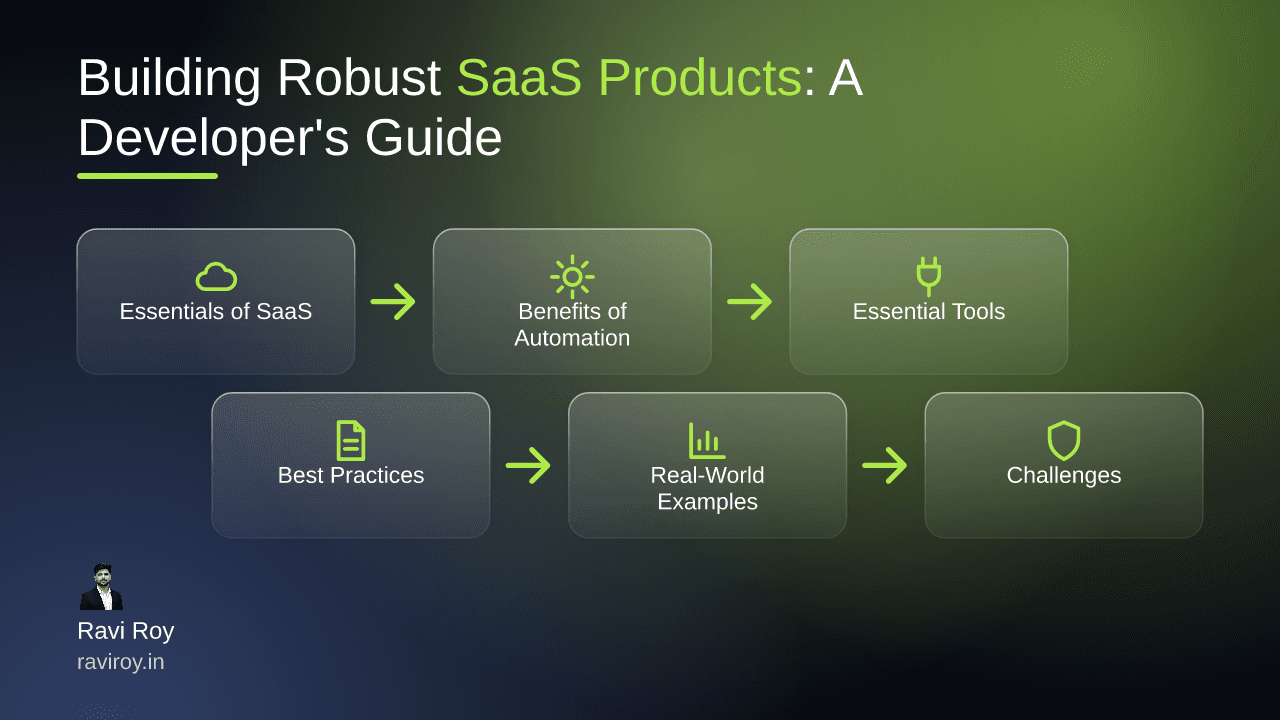
Understanding the Essentials of SaaS Products
Building robust SaaS (Software as a Service) products is about more than just coding; it's about creating efficient, scalable, and user-centric solutions that serve real-world needs. With the SaaS model booming, grasping the core concepts is crucial for developers aiming to stay relevant in the industry.
Defining SaaS Products
At its core, a SaaS product is a software distribution model where applications are hosted on the cloud and made available to users over the internet. Unlike traditional software, there is no need for physical installation; users can access the software from any device with internet capability. This model supports subscriptions, offering businesses flexibility and scalability that traditional software simply cannot match.
Key Characteristics of Successful SaaS
Successful SaaS products share common traits. Scalability is essential; as user demands grow, the ability to add resources seamlessly is crucial. Reliability ensures that the service is consistently available with minimal downtime. Finally, a user-centric design fosters a positive customer experience through intuitive interfaces and helpful features. Incorporating these principles into your workflow can pave the way for product success in a competitive landscape.
Benefits of Automation in SaaS Development
The integration of automation within SaaS development can fundamentally change how your team operates, leading to greater efficiency and enhanced user experiences.
Improving Efficiency
By automating mundane and repetitive tasks, teams can significantly improve efficiency. DevOps practices, especially automation in Continuous Integration and Continuous Deployment (CI/CD), reduce the manual workload on developers. For instance, Jenkins and CircleCI streamline the deployment process, enabling developers to focus on more critical aspects of product improvement rather than routine tasks.
Enhancing User Experience
Automation doesn't just benefit developers. Automated features like onboarding flows make software more accessible and enjoyable for users. Consider implementing chatbots to guide users through initial setups or to provide instant support. This not only speeds up onboarding but also reduces friction, enhancing user satisfaction.
Essential Tools for Automating SaaS Development
Choosing the right set of tools is pivotal for successful automation in SaaS development. Here are some essential categories that every developer should consider:
CI/CD Tools
Continuous Integration and Continuous Deployment tools are the backbone of a streamlined development process. Utilizing platforms like Jenkins or CircleCI allows teams to automate builds, tests, and deployments, reducing the manual errors and delays that can derail project timelines.
Example Configuration for Jenkins:
pipeline {
    agent any
    stages {
        stage('Build') {
            steps {
                echo 'Building...'
            }
        }
        stage('Test') {
            steps {
                echo 'Testing...'
            }
        }
        stage('Deploy') {
            steps {
                echo 'Deploying...'
            }
        }
    }
}
Testing and QA Automation
Automated testing ensures that applications are reliable and high-quality. Tools like Selenium and Cypress enable rigorous testing of user interfaces and functionality without extensive manual input. This saves time and guarantees consistent quality upon each deployment.
Monitoring Tools
To maintain a high-quality user experience post-deployment, monitoring tools like New Relic and Datadog provide insights into application performance and user interactions. These tools can alert you to issues before they escalate, allowing for prompt resolution and better user retention.
Best Practices for Integrating Automation
While automation provides incredible benefits, it can also introduce complexities if not approached correctly. Following best practices will help mitigate these challenges.
Start Small and Scale
Introducing automation incrementally can assist teams in managing complexities. Start by automating smaller tasks and gradually take on larger processes. For example, you might begin with test automation before moving on to CI/CD pipelines. This phased approach allows for easier troubleshooting and adaptation.
Maintain Code Quality
Automation can lead to inconsistencies if code quality isn't maintained. Implementing code linters and review processes ensures everyone adheres to coding standards. Tools like ESLint or Prettier can automate formatting, helping to maintain clean and readable code across the board.
Real-World Examples of Automated SaaS Solutions
Looks at tangible successes can provide insight into how automation makes a difference.
Case Study 1: Automated Customer Support
One innovative SaaS company reduced customer support response times drastically by incorporating a chatbot into their platform. The chatbots provide instant answers to frequently asked questions, allowing the support team to focus on more complex customer concerns. With the integration of AI, these bots even learn from interactions, becoming increasingly effective over time.
Case Study 2: Automated Billing Processes
Another SaaS product leveraged automation to streamline their billing processes. By automating invoicing and payment processing, they minimized human error, improved cash flow, and freed up resources that were previously tied up in reconciliations. This not only improved operational efficiency but also enhanced user trust through timely, accurate billing.
Challenges and Considerations in Automation
Despite the advantages, automation is not without its pitfalls. Awareness of these challenges will better prepare teams for smooth integration.
Common Pitfalls
Over-reliance on automation tools can lead to complacency. It’s essential to balance automated processes with regular manual oversight. Continually assess your automated systems to ensure they are functioning correctly and not producing false confidence in system integrity.
Managing Change within Teams
Implementing automated processes involves change, which can be met with resistance. It's vital to foster team buy-in through clear communication about the benefits of automation and offering training for new tools. Regularly gather feedback to ensure everyone feels comfortable and equipped to adapt to the new systems.
Future Trends in SaaS Automation
As the SaaS landscape evolves, staying ahead of trends can keep your products relevant and competitive.
AI and Machine Learning
The integration of AI and machine learning into SaaS products is set to enhance personalization and efficiency. Predictive analytics, powered by machine learning, can optimize user experiences by tailoring features and functionalities to individual user preferences.
Integration with No-Code Platforms
The rise of no-code platforms like Airtable and Zapier is transforming how developers build applications. By enabling users to automate workflows without needing extensive programming knowledge, these platforms can significantly accelerate processes and democratize software creation.
Conclusion
As developers, harnessing automation in building robust SaaS products can not only improve your workflow but also elevate user satisfaction. It's crucial to stay informed about evolving tools and practices while being mindful of the potential challenges and embracing solutions gradually.
What automated solutions have you implemented in your own SaaS projects, and what challenges did you face?
💬 Join the conversation — share your take in the comments and tell us what you’d add.