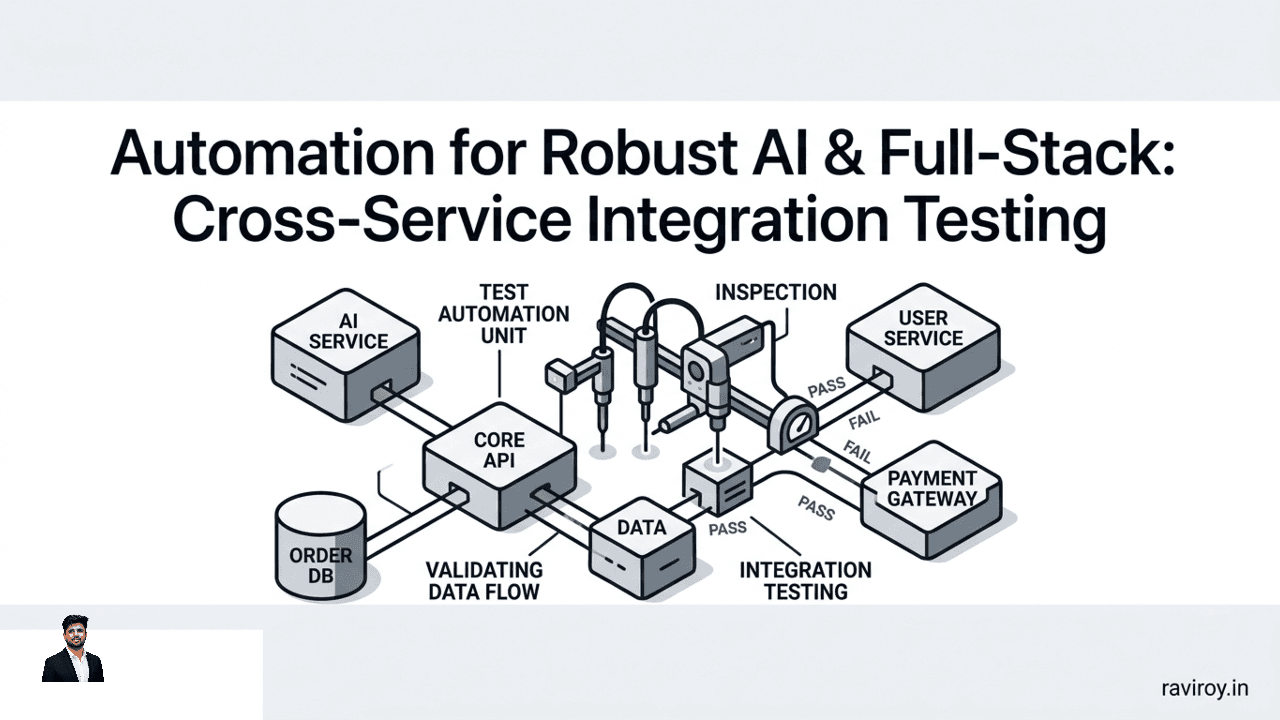
In the intricate dance of modern software, where microservices communicate across networks and AI components make critical decisions, a single misstep can cascade into widespread system failure. Ensuring that these disparate parts work harmoniously together isn't just a best practice; it's a fundamental necessity for stability and performance. This is precisely where automation for robust AI & full-stack: cross-service integration testing becomes indispensable, transforming potential chaos into reliable functionality.
The Critical Role of Automation in Cross-Service Integration Testing
Modern distributed systems are marvels of engineering, comprising an array of independent services, serverless functions, and specialized AI components, each handling a piece of a larger puzzle. Think of an e-commerce platform where a user authentication service, a product catalog service, a payment gateway, and an AI-driven recommendation engine all need to interact seamlessly. This inherent complexity, while offering scalability and flexibility, also introduces significant challenges for ensuring everything works as expected.
Cross-service integration testing is the discipline of validating the interactions and data flow between these independent services. It moves beyond individual component verification to scrutinize the communication pathways, data contracts, and operational handshakes that define a system's true behavior. Can the recommendation engine correctly interpret product data from the catalog service? Does the payment service properly receive user credentials from the authentication module?
Attempting to validate these intricate interactions manually is a Sisyphean task—slow, error-prone, and unsustainable as systems grow. Similarly, relying solely on unit tests, which only examine isolated code units, leaves a gaping void. Individual services might pass all their unit tests with flying colors, but still collapse under the weight of real-world integration issues. This is why automation isn't merely an option; it's the essential solution for ensuring the reliability, speed, and continuous health of complex, multi-service architectures. Automated integration tests catch defects early, accelerate development cycles, and instill confidence in deployments.
Why Cross-Service Integration Testing is Non-Negotiable for AI & Full-Stack
The modern full-stack application, especially one infused with artificial intelligence, is a mesh of interconnected components. Ignoring the integration layer is akin to ensuring every brick in a house is perfect, but never checking if they're mortared together correctly.
Beyond Unit Tests: The Integration Gap
Unit tests are crucial for verifying the internal logic of a single service. They tell you if a function correctly calculates a value or if a module handles an edge case as expected. However, they stop at the service boundary. They don't tell you if:
API Contracts are Broken: A service updates its API, but consumers aren't updated, leading to incompatible requests or responses.
Incompatible Data Models: Services expect different data formats (e.g., one expects
camelCase, anothersnake_case) or different value types.Incorrect Authentication/Authorization Flows: A downstream service incorrectly validates tokens or permissions from an upstream service.
Unexpected Latency: While individual services are fast, the cumulative network overhead or processing time across multiple calls leads to timeouts or poor user experience.
These common failure points manifest only when services try to communicate, creating an "integration gap" that only cross-service testing can bridge.
The Unique Demands of AI System Integration
Integrating AI components adds layers of unique complexity. AI systems aren't just about code; they're about data, models, and sophisticated pipelines. Consider these specific integration challenges:
Model-Serving APIs: Testing the interaction between your application's front-end or business logic and the API serving your machine learning model. This includes validating input/output schemas, response times, and the correctness of predictions.
Prompt Pipelines: For large language model (LLM) based applications, testing the entire prompt engineering workflow, including how user input is transformed into prompts, context is retrieved (e.g., from vector databases), and how tool calls are orchestrated.
Feature Stores & Vector Databases: Verifying that data features are correctly retrieved from a feature store and passed to a model, or that embeddings are accurately stored and retrieved from a vector database when interacting with an LLM.
Human-in-the-Loop Workflows: When human review or intervention is part of the AI process (e.g., for moderation, validation, or correction), testing the seamless handoff and feedback loop between automated and human processes.
Furthermore, issues like data drift (when live data deviates from training data), model versioning discrepancies across different deployed services, and ensuring inference stability when a model's dependencies change, all complicate testing efforts. An AI service might generate perfect predictions in isolation, but provide nonsensical outputs if its upstream data source changes unexpectedly.
Blueprint for Automation: A Robust Integration Testing Strategy
Building a resilient system requires a methodical approach to automated integration testing, treating it as a first-class citizen in your development lifecycle.
Defining Your Test Scope and Boundaries
The first step is to intelligently define what your integration tests should cover. Trying to test every possible interaction can be overwhelming and lead to fragile, slow tests. Instead, focus on critical integration points:
Identify Core Business Flows: Map out the end-to-end paths users or other systems take that involve multiple services. For an e-commerce platform, this might be "user places an order," "user browses recommended products," or "admin updates product inventory."
Pinpoint Service Boundaries: Where does one service hand off to another? These are your integration points. What data is exchanged? What contracts are expected?
Define Test Scenarios: For each critical integration point, create specific test scenarios. For example, "successful order placement with valid credit card," "order placement fails with invalid credit card," or "product recommendation based on user history is returned."
When executing these tests, you have options for dependencies:
Real Endpoints: Testing against live (or near-live) versions of dependent services provides the most realistic scenario, but can be slow and brittle if services are unstable.
Stubs or Virtualized Dependencies: For isolated integration tests, you might stub out or virtualize external services. This allows you to control responses, simulate errors, and run tests faster and more reliably. For example, if your service calls a third-party payment gateway, you might use a mock API for that gateway during integration tests to avoid actual transactions and external dependencies.
It's also crucial to differentiate between broad end-to-end tests (which simulate a full user journey across all layers) and focused integration tests (which specifically target the interaction between two or a small group of services). While end-to-end tests provide confidence in the entire system, focused integration tests offer faster feedback and clearer defect localization for specific service interactions.
Designing for Resilience: Error Handling and Edge Cases
A robust system isn't just about successful interactions; it's about gracefully handling failures. Your automated integration tests must actively challenge the system's resilience:
Test Error Handling: Simulate scenarios where a downstream service returns an error (e.g., 400 Bad Request, 500 Internal Server Error). Does your calling service gracefully handle this, log the error, and return an appropriate response to the user or retry if applicable?
Validate Retry Mechanisms: If your services implement retries (e.g., exponential backoff), test that they correctly attempt to re-establish connection or re-process a request after a transient failure.
Verify Circuit Breakers: For critical dependencies, circuit breakers prevent cascading failures. Test that when a dependent service becomes unresponsive, the circuit breaker trips, and your service fails fast instead of waiting indefinitely, potentially preventing resource exhaustion.
Example Scenario: Imagine Service A calls Service B.
Test success: Service A calls B, B returns 200 OK.
Test transient error with retry: Service A calls B, B returns 503 Service Unavailable (simulated). Service A retries. Service B returns 200 OK. Test confirms A retried and succeeded.
Test persistent error with circuit breaker: Service A calls B, B returns 500 Internal Server Error (simulated) for 5 consecutive calls. Service A's circuit breaker trips. Subsequent calls to B from A immediately fail (e.g., throw a
CircuitBreakerOpenException) without calling B, ensuring resources aren't wasted.
You should also include methods for simulating network failures (e.g., high latency, dropped packets), service outages (e.g., a dependent service simply isn't available), and invalid input data (e.g., sending malformed JSON, out-of-range values) to thoroughly vet your system's edge case handling.
Essential Pillars: Building Automated Cross-Service Integration Tests
Effective automation in integration testing relies on several foundational practices that streamline test creation, execution, and reliability.
Contract Testing vs. End-to-End Integration
It's crucial to understand the distinct roles of contract testing and broader end-to-end integration tests.
Contract Testing focuses on ensuring that services adhere to their agreed-upon API contracts. It's often "consumer-driven," meaning the consumer service defines the expectations of the provider service's API. This type of testing allows you to verify API compatibility without deploying both services fully. The provider generates a "contract" based on the consumer's expectations, and this contract is tested independently.
Benefit: Catches API breaking changes early, provides fast feedback, and enables independent deployment of services.
When to use: Ideal for verifying the syntax and semantics of API requests/responses, ensuring data types and required fields are correct.
End-to-End Integration Testing, as discussed, involves deploying multiple services (often the entire application stack) and testing a complete user journey or business flow.
Benefit: Provides high confidence that the entire system functions as a whole.
When to use: Best for critical user paths and validating the overall system behavior in a production-like environment.
Both are valuable, but contract tests offer earlier feedback and reduce the need for extensive, slow end-to-end tests for every minor change. A balanced strategy typically involves robust contract testing for individual service integrations and a smaller suite of high-level end-to-end tests for critical flows.
Managing Test Data Effectively
One of the biggest hurdles in integration testing is managing realistic and consistent test data. Dirty or inconsistent data can lead to flaky tests that pass or fail unpredictably.
Strategies for handling test data include:
Data Generation: Programmatically generate test data that reflects real-world scenarios. This allows for diverse test cases and avoids reliance on static, outdated datasets. Consider libraries or frameworks that can create realistic-looking names, addresses, product descriptions, etc.
Data Provisioning: Before each test run, provision the necessary data into the databases or services involved. This ensures a clean slate and reproducible results. This can involve SQL scripts, API calls, or database migration tools.
Data Cleanup: After tests complete, clean up any data created or modified. This prevents test pollution and ensures subsequent runs start fresh. This is vital for maintaining isolated test environments.
Data Anonymization and Synthetic Data: For sensitive information (e.g., personally identifiable information, financial data), use anonymization techniques or generate synthetic data that mimics real data's statistical properties without exposing sensitive details. This is especially important for AI systems where models are trained on large datasets.
Ephemeral Environments for Clean Tests
Running integration tests in shared environments is a common pitfall. One test run might leave data or configuration changes that affect subsequent runs, leading to non-deterministic failures. The solution is ephemeral environments.
Ephemeral environments are isolated, on-demand environments that are created specifically for a test run and then destroyed.
Benefits:
Isolation: Each test runs in a clean, consistent state, eliminating dependencies on previous runs.
Reproducibility: If a test fails, you can be confident it's due to code or configuration, not environment state.
Parallelization: Multiple test suites can run simultaneously without interfering with each other.
How to implement: Leverage containerization technologies (like Docker) and orchestration tools (like Kubernetes) to spin up a miniature version of your application stack for each test run. In your CI/CD pipeline, this might look like:
Setup: Before tests, deploy necessary services and their dependencies (databases, message queues) into a temporary namespace or a set of containers.
Execute: Run your automated integration tests against this freshly deployed environment.
Teardown: After tests complete, gracefully shut down and remove all components of the ephemeral environment, releasing resources.
This setup and tear-down process can be automated using shell scripts, CI/CD pipeline configuration, or tools like Testcontainers.
Automating Integration Tests for AI Workflows
AI components bring their own set of unique integration challenges that demand specialized testing strategies.
Model-Serving API and Feature Store Integration
For many AI applications, the model consumes features provided by a feature store. The quality and timeliness of this data are paramount.
Data Schema Validation: Automated tests should ensure that the data fetched from the feature store adheres to the schema expected by the model-serving API. Mismatched data types, missing features, or incorrect cardinality can lead to silent model failures.
Latency Checks: Integrate performance tests to measure the end-to-end latency from feature retrieval to model inference. High latency can degrade user experience or cause downstream services to time out.
Correctness of Predictions: While full model validation is complex, integration tests can verify that the model-serving API returns predictions in the correct format and, for a known set of inputs, returns expected (or within a reasonable range of) outputs.
Model Versioning and A/B Deployment: When you deploy new model versions, ensure that the application correctly routes traffic to the right version (e.g., A/B testing setup) and that older versions are gracefully deprecated or retired without impacting services relying on them. Test rollback scenarios.
Prompt Engineering and LLM Orchestration
Large Language Models (LLMs) are often integrated into complex workflows that involve prompt construction, context retrieval, and tool usage.
Consistency and Quality of Responses: For specific, common queries, integration tests can check if the LLM, integrated into your pipeline, consistently produces responses that meet predefined quality metrics (e.g., factual accuracy, tone, safety). This might involve comparing generated responses against a golden dataset or using another LLM for evaluation.
Prompt Template Validation: Ensure that your prompt templates are correctly populated with dynamic data and that context windows are managed effectively to avoid truncation or hallucination. Test various input lengths.
Tool Integration: If your LLM orchestrates external tools (e.g., calling an API to fetch real-time data), test the end-to-end flow: prompt -> LLM decides to use tool -> tool executed -> tool output integrated into LLM's final response.
Guardrails and Safety Filters: Test that any integrated safety or moderation filters correctly detect and handle inappropriate content, both in prompts and generated responses.
Human-in-the-Loop Validation
Many sophisticated AI systems incorporate human oversight or feedback loops. Integrating these human components into automated testing is crucial.
Automated Handoff Points: Test that data is correctly passed to the human review queue and that the human's decision is accurately captured and routed back into the automated workflow.
Data Integrity for Feedback Loops: Verify that the data flowing into and out of human feedback loops maintains its integrity and format. For example, if a human annotates data, ensure the annotations are correctly associated with the original data point and influence subsequent model training or inference.
Error Cases for Human Inputs: Simulate scenarios where human input is delayed, incomplete, or incorrect, and test how the system reacts. Does it queue, re-route, or escalate?
Tools & Technologies for Cross-Service Automation
The landscape of testing tools is rich and diverse, catering to various needs in cross-service automation.
API Testing Frameworks:
Postman: A popular choice for manual and automated API testing, allowing easy creation of test collections and integration into CI/CD.
Karate DSL: An open-source tool that combines API test automation, mocks, and performance testing into a single, easy-to-read syntax, often favored for its behavior-driven development (BDD) style.
Rest Assured: A Java-based library for testing REST services, providing a fluent API to make HTTP requests and assert responses programmatically.
Cypress/Playwright: While primarily UI automation tools, their ability to intercept network requests makes them powerful for front-end driven integration tests that span multiple services.
Service Virtualization/Mocking Tools:
WireMock: A versatile tool for stubbing and mocking web services, ideal for isolating services during testing by simulating their dependencies.
Hoverfly: A lightweight service virtualization tool that enables you to capture, simulate, and virtualize HTTP(S) APIs.
MockServer: Provides a proxy that can be used to mock any system you integrate with via HTTP(S).
CI/CD Platforms: These platforms are the backbone for integrating and executing your automated tests.
Jenkins: A highly extensible automation server for building, deploying, and automating any project.
GitLab CI/CD: Built directly into GitLab, offering a seamless experience for pipeline automation.
GitHub Actions: Event-driven automation directly within your GitHub repositories.
Azure DevOps Pipelines / AWS CodePipeline / Google Cloud Build: Cloud-native alternatives providing robust CI/CD capabilities.
No-code/Low-code Platforms: For teams looking to accelerate test creation without deep coding expertise.
Tricentis Tosca, Katalon Studio: While often broader testing suites, they offer capabilities to simplify API and integration test creation through visual interfaces and reusable components.
Integrating Automation into CI/CD with Observability
The true power of automated integration testing is realized when it's seamlessly woven into your continuous integration and continuous delivery (CI/CD) pipelines, bolstered by strong observability practices.
Fast Feedback Loops in CI/CD
Automated integration tests must be embedded directly into your CI/CD pipeline to ensure that every code or configuration change is validated swiftly.
Trigger on Commit: Configure your pipeline to run integration tests (or at least a critical subset) on every commit or pull request merge.
Parallel Execution: Leverage the power of your CI/CD platform to run tests in parallel, significantly reducing feedback time.
Gating Deployments: Critical integration tests should act as a gate. If they fail, the pipeline should halt, preventing faulty code from reaching production. This ensures quality at every stage.
The goal is to provide fast feedback to developers. A developer should know within minutes of pushing code if it has broken an upstream or downstream service integration.
Leveraging Observability for Debugging and Monitoring
Even with automated tests, failures will occur. Observability tools are crucial for quickly understanding why a test failed.
Robust Logging: Ensure your services and tests generate detailed, contextual logs. When an integration test fails, developers should be able to trace the entire flow across services by correlating log messages. Implement structured logging for easier parsing.
Metrics: Instrument your services to emit metrics on API call success rates, latency, error counts, and resource utilization. During an integration test run, these metrics can highlight performance bottlenecks or unexpected spikes in resource consumption.
Distributed Tracing: Tools like OpenTelemetry, Jaeger, or Zipkin are invaluable for visualizing the path of a request as it hops between multiple services. If an integration test fails, a trace can pinpoint exactly which service, at which step, introduced the error or unexpected delay.
By combining automated tests with comprehensive observability, you not only catch errors but also gain deep insights into the behavior and health of your interconnected services, enabling rapid debugging and continuous improvement.
Best Practices for Long-Term Success
Implementing automation for robust AI & full-stack cross-service integration testing is not a one-time project; it's a continuous journey.
Continuous Refinement of Test Suites: As your system evolves, your test suite must evolve with it. Regularly review, update, and refactor tests to ensure they remain relevant, efficient, and reliable. Remove flaky tests or tests that no longer cover critical paths.
Importance of Cross-Functional Collaboration: Successful integration testing requires tight collaboration between development, QA, MLOps, and even product teams. Developers need to understand how their changes impact other services, QA needs to define robust test scenarios, and MLOps needs to ensure the testing infrastructure is stable and scalable.
Scalability Considerations for Growing Systems and Test Suites: Plan for growth. As your microservice landscape expands and your AI models become more complex, your testing infrastructure must scale. This includes the ability to provision more ephemeral environments, run tests in parallel, and manage increasing volumes of test data. Invest in tools and processes that support this scalability from the outset.
What's the most challenging cross-service integration you've ever had to automate, and what ingenious solution did your team devise to tackle it?
💬 Join the conversation — share your take in the comments and tell us what you’d add.