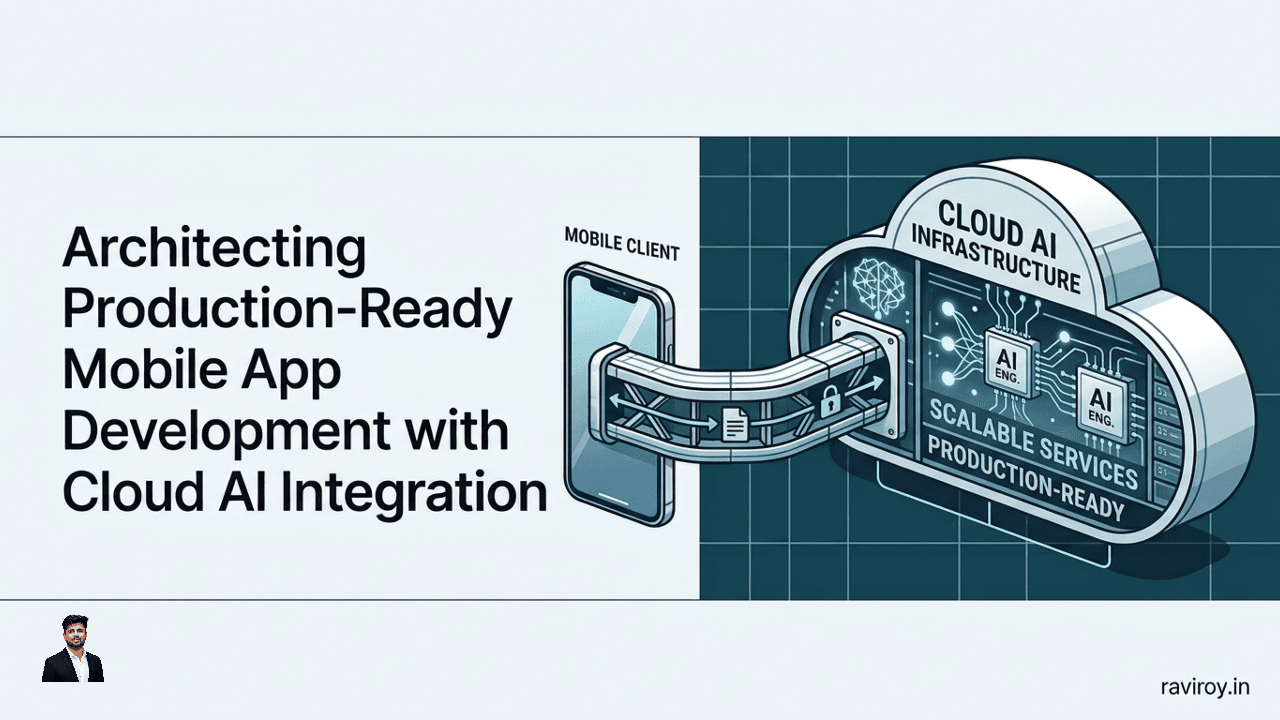
Bringing artificial intelligence to mobile devices opens up incredible possibilities, transforming user experiences with capabilities like real-time object recognition, intelligent assistants, and hyper-personalized content. However, moving beyond prototypes to truly architecting production-ready mobile app development with cloud AI integration requires a thoughtful, robust strategy that balances performance, security, cost, and user experience. This isn't just about plugging into an API; it's about building a resilient, intelligent system that seamlessly delivers AI capabilities wherever and whenever your users need them.
Why Hybrid is the Future of Mobile AI App Development
The journey to integrate AI into mobile applications often begins with a fundamental choice: run AI models directly on the device, or offload processing to the cloud? Both approaches have distinct advantages and inherent limitations. Relying purely on on-device AI can restrict the complexity and size of models you can deploy, limit access to real-time dynamic data, and make model updates cumbersome. Conversely, a pure cloud AI strategy introduces latency, necessitates constant network connectivity, and can lead to escalating operational costs, especially for high-volume inference.
This dichotomy has paved the way for a more sophisticated, nuanced approach: hybrid AI. A hybrid strategy, leveraging both local and remote processing, is rapidly becoming the de-facto standard for modern, production-grade mobile AI apps. By intelligently distributing AI workloads, developers can optimize for critical factors: ensuring low-latency responses for interactive features, enhancing user privacy by processing sensitive data locally, handling computationally complex models in the cloud, and managing operational costs efficiently by using the most appropriate resource for each task. It's about getting the "best of both worlds" without succumbing to the trade-offs of a single-stack approach.
Choosing the Right Mobile AI Integration Pattern (On-Device, Cloud, or Hybrid)
Deciding where your AI models live and execute is paramount to building a successful mobile application. This choice impacts everything from user experience and data privacy to development complexity and operational expenses.
On-Device AI: When to Use It
On-device AI excels in scenarios where low-latency, privacy, or offline functionality are critical. When inference needs to happen almost instantaneously, such as in real-time facial recognition, gesture control, or augmented reality applications, processing models directly on the device eliminates network round-trip delays. This approach is also optimal for privacy-sensitive data processing, as personal identifiable information (PII) never leaves the device. Furthermore, on-device AI enables core functionality even without an internet connection, making your app more robust and reliable. Finally, for simpler models with high usage, on-device execution can significantly reduce cloud costs associated with repeated API calls.
Specific scenarios:
Real-time Inference: Image classification for filters, object detection in video streams, speech-to-text for voice commands.
Privacy-Sensitive Data: Local processing of biometric data (face/fingerprint), personal health metrics, or sensitive document analysis.
Offline Capability: Core search functionality, recommendation engines, or language translation when network access is intermittent or unavailable.
Reduced Cloud Costs: Frequent, lightweight inferences that would otherwise incur high cloud API charges.
Cloud AI: When to Use It
Cloud AI becomes indispensable when dealing with large language models (LLMs), complex reasoning tasks, dynamic knowledge bases, or computationally heavy workloads that far exceed mobile device capabilities. These services offer immense processing power, scalable infrastructure, and often access to regularly updated models. Centralized model updates and global knowledge access are also key advantages, ensuring all users benefit from the latest improvements and comprehensive datasets.
Specific scenarios:
Large Language Models (LLMs): Generative AI for content creation, complex chatbots, summarization, and sentiment analysis.
Complex Reasoning & Deep Learning: Advanced medical image analysis, sophisticated fraud detection, highly personalized recommendation engines requiring vast datasets.
Dynamic Knowledge Bases: AI that needs to query and integrate real-time, ever-changing information (e.g., up-to-the-minute news, stock prices, weather).
Heavy Computational Loads: Training new models, complex simulations, or processing large batches of data.
Centralized Model Updates: Ensuring all users are running the latest, most performant model without requiring app updates.
Hybrid AI: Best of Both Worlds
A hybrid AI strategy intelligently combines the strengths of both on-device and cloud AI. The decision framework for implementing hybrid AI should consider:
Model Size: Large models typically go to the cloud; smaller ones can be on-device.
Latency Requirements: Real-time demands push towards on-device; less critical tasks can use the cloud.
Data Privacy & Compliance: Sensitive data stays on-device; anonymized or non-sensitive data can go to the cloud.
Available Device Resources: Device CPU, GPU, and memory constrain on-device possibilities.
Network Connectivity Reliability: Offline needs necessitate on-device; consistent connection allows cloud reliance.
The core idea is to design mobile AI features with a dual-path strategy. For instance, a quick, less accurate model might run on-device for an initial response, while a more comprehensive, accurate model in the cloud is queried for refinement or when higher confidence is required. This intelligent switching ensures optimal user experience, resource utilization, and cost efficiency.
Securing Mobile-to-Cloud AI Communication with a Backend Proxy
Directly connecting a mobile application to cloud AI services presents significant security and operational challenges. Exposing API keys or sensitive credentials within mobile application code, even if obfuscated, is a critical vulnerability.
Why Direct Mobile-to-AI Calls are Risky
When a mobile app makes direct calls to a cloud AI service, the client-side code inherently contains the necessary credentials (API keys, authentication tokens) to access that service. Malicious actors can reverse-engineer the application, extract these credentials, and then exploit them. This could lead to:
Unauthorized Access & Abuse: Attackers can use your credentials to make costly API calls, deplete your service quotas, or inject malicious data.
Data Leakage: If the AI service involves sensitive data, direct access might bypass crucial server-side validation and logging.
Lack of Control: Without a central mediation layer, you lose granular control over individual mobile app requests, making it difficult to implement rate limiting, monitor usage, or inject additional security policies dynamically.
Update Headaches: Changing API keys or security policies would require a full mobile app update, which is slow and unreliable.
The Role of a Backend Proxy in Mobile AI
A backend proxy (often implemented as an API Gateway or a custom backend service) acts as an essential intermediary between your mobile application and the upstream cloud AI service. Instead of the mobile app calling the AI service directly, it calls your backend proxy. The proxy then authenticates the mobile app, validates the request, and securely forwards it to the cloud AI service using its own securely stored credentials.
This architecture provides an essential abstraction and centralized security layer:
Credential Protection: Your cloud AI service API keys never leave your backend environment.
Centralized Security: Implement authentication, authorization, rate limiting, and input validation in one place.
Data Transformation: The proxy can sanitize, minimize, or redact PII from data before sending it to the AI service, enhancing privacy and compliance.
Abstraction Layer: Decouple your mobile app from specific AI service implementations, allowing for easier switching or upgrading of AI providers.
Monitoring & Logging: Centralize request logging and performance monitoring.
Implementing Secure API Keys and Authentication
Implementing a backend proxy is crucial. Here's how you might approach it:
Backend Proxy Setup:
Cloud API Gateways: Use services like AWS API Gateway, Azure API Management, or GCP Apigee. These provide built-in features for security, caching, and request routing.
Custom Backend: For more granular control, build a custom service using frameworks like Node.js (Express), Python (Flask/Django), or Go. This service would receive requests from the mobile app, add the cloud AI service credentials, and forward the request.
Example (Conceptual Node.js Proxy):
// app.js (simplified backend proxy)
const express = require('express');
const axios = require('axios');
const bodyParser = require('body-parser');

const app = express();
app.use(bodyParser.json());

const CLOUD_AI_SERVICE_URL = process.env.CLOUD_AI_SERVICE_URL;
const CLOUD_AI_API_KEY = process.env.CLOUD_AI_API_KEY; // Stored securely, e.g., in environment variables or KMS

app.post('/api/ai-inference', async (req, res) => {
    // 1. Authenticate mobile app user (e.g., using a JWT from Authorization header)
    //    if (!req.headers.authorization || !isValidJWT(req.headers.authorization)) {
    //        return res.status(401).send('Unauthorized');
    //    }
    //    const userId = getUserIdFromJWT(req.headers.authorization);

    // 2. Data Minimization/Sanitization (example: remove sensitive fields)
    const sanitizedInput = { ...req.body };
    if (sanitizedInput.user_id) delete sanitizedInput.user_id; // Example PII redaction

    try {
        // 3. Forward request to actual Cloud AI Service with secure API key
        const aiResponse = await axios.post(CLOUD_AI_SERVICE_URL, sanitizedInput, {
            headers: {
                'Authorization': `Bearer ${CLOUD_AI_API_KEY}`,
                'Content-Type': 'application/json'
            }
        });
        res.json(aiResponse.data);
    } catch (error) {
        console.error('AI service error:', error.response ? error.response.data : error.message);
        res.status(500).send('Error processing AI request');
    }
});

app.listen(3000, () => console.log('Proxy running on port 3000'));
User Authentication (Mobile App to Proxy):
OAuth 2.0: A standard for authorization, allowing mobile apps to securely access protected resources on behalf of a user.
JSON Web Tokens (JWTs): After a user authenticates (e.g., via username/password or social login), your backend issues a JWT. The mobile app includes this JWT in the
Authorizationheader of all subsequent requests to your backend proxy. The proxy validates the JWT to ensure the request is legitimate and from an authenticated user.
Service Authorization (Proxy to Cloud AI Service):
The backend proxy uses its own API keys or service accounts to authenticate with the cloud AI service. These credentials should be securely managed (e.g., via environment variables, secret managers like AWS Secrets Manager, Azure Key Vault, or GCP Secret Manager). They should never be hardcoded.
Data Minimization, Sanitization, and PII Redaction: The proxy is the ideal place to implement data governance. Before sending user data to an external AI service, ensure you:
Minimize: Only send the absolute necessary data.
Sanitize: Remove potentially harmful or malformed input.
Redact PII: Automatically identify and remove Personally Identifiable Information (like names, addresses, email, phone numbers) if the AI service doesn't strictly require it and doing so doesn't compromise model performance. This significantly reduces privacy risks.
Architecting Resilient Hybrid Mobile AI with Fallback and Caching
A robust production mobile AI application must be resilient to network fluctuations and capable of maintaining a good user experience even under less-than-ideal conditions. This is where intelligent routing, fallback mechanisms, and data caching become critical.
Designing for Offline Capability and Graceful Degradation
Mobile applications often operate in environments with intermittent or no network connectivity. Your hybrid AI architecture must anticipate this.
Network Status Detection: Implement listeners in your mobile app to detect changes in network connectivity (e.g., using
ConnectivityManageron Android orNWPathMonitoron iOS).Intelligent Switching: When connectivity is lost, automatically switch from attempting cloud AI calls to using on-device models for core functionality.
Graceful Degradation: If an AI feature absolutely requires cloud access, provide informative feedback to the user ("Internet connection required for this feature") rather than crashing or hanging. For non-critical features, consider queuing requests to be sent once connectivity is restored.
Intelligent Model Routing Strategies
The "hybrid" aspect truly shines in smart routing. This involves dynamically deciding whether to use an on-device model or a cloud-based model based on various runtime criteria.
Concrete Examples of Routing Logic:
Confidence-Based Routing:
First, run a lightweight, fast on-device model.
If the on-device model's confidence score is below a certain threshold (e.g., 70%), then send the request to the more powerful, accurate cloud AI model for a second opinion.
If the on-device model's confidence is high, use its result immediately.
Latency/Resource-Based Routing:
If the user is on a slow network or low battery, prioritize on-device inference.
If the device has ample resources and a fast network, route to the cloud for potentially more advanced or up-to-date models.
Feature-Specific Routing:
Simple image labeling (e.g., "cat," "dog") might be on-device.
Complex image analysis (e.g., identifying specific breeds or health issues) goes to the cloud.
User Preference/Tier-Based Routing:
Basic AI features are always on-device (e.g., basic search).
Premium AI features (e.g., highly personalized content generation) require cloud access.
Example (Conceptual Mobile App Logic):
// Swift (iOS) - Conceptual Routing Logic
func performAIInference(imageData: Data, completion: @escaping (AIResult) -> Void) {
    let onDeviceModel = OnDeviceImageClassifier() // Assume this exists
    let cloudService = CloudAIProxyService()     // Assumes proxy communication

    onDeviceModel.predict(imageData: imageData) { onDeviceResult in
        if onDeviceResult.confidence > 0.7 || !NetworkMonitor.shared.isConnected {
            // Use on-device result if confident enough OR offline
            completion(onDeviceResult)
        } else {
            // Fallback to cloud for higher accuracy/complex model if online
            cloudService.sendToCloudAI(imageData: imageData) { cloudResult in
                completion(cloudResult)
            }
        }
    }
}
Data Caching for Performance and Cost Efficiency
Caching cloud AI responses on the device can significantly improve perceived performance, reduce latency, and lower cloud API costs, especially for frequently requested or stable information.
Response Caching: Store the results of cloud AI inferences locally (e.g., in a local database like SQLite, Core Data, or SharedPreferences/NSUserDefaults).
Use Case: If a user repeatedly asks for a summary of a specific article, the summary can be cached after the first cloud request.
Model Caching: For on-device models, ensure the model files are efficiently loaded and cached in memory when the app starts or a feature is accessed.
Versioning and Invalidation: Implement a strategy for invalidating cached data when the underlying data or AI model changes. Include version numbers in API responses or model metadata to trigger cache updates.
Storage Limits: Be mindful of device storage limitations. Implement a sensible cache eviction policy (e.g., LRU - Least Recently Used) to prevent excessive storage consumption.
Operationalizing Mobile AI: Monitoring, Staged Rollouts, and Drift Detection
Building a production-ready mobile AI application extends far beyond initial development. It requires continuous monitoring, careful deployment strategies, and mechanisms to detect when AI models begin to degrade in performance or relevance.
Implementing Observability for Mobile AI Features
Robust observability is crucial for understanding how your AI features are performing in the wild.
Key Metrics to Monitor:
Request Latency: Measure the time taken for both on-device and cloud inferences.
Error Rates: Track errors from both the mobile app's AI components and the cloud AI services.
Cloud Service Costs: Monitor API usage and associated costs to stay within budget.
Inference Quality: This is challenging. Use user feedback (e.g., "Was this helpful?"), A/B testing, and proxy-layer logging of input/output to evaluate model accuracy and relevance.
User Engagement: Track how users interact with AI-powered features (e.g., feature usage frequency, time spent, conversion rates).
On-device Resource Usage: Monitor CPU, memory, and battery consumption of on-device models.
Logging and Alerting:
Comprehensive Logging: Implement detailed logging for both on-device AI component behavior (e.g., model loaded, inference started/finished, errors) and cloud AI service interactions (request/response payloads, status codes).
Centralized Logging: Aggregate logs from mobile devices (e.g., via crash reporting tools like Firebase Crashlytics, Sentry) and your backend proxy (e.g., Splunk, ELK stack, cloud logging services).
Alerting: Set up alerts for critical thresholds, such as spikes in error rates, unusually high latency, or sudden increases in cloud costs.
Staged Rollouts and Rollback Strategies
Deploying new AI models or integration patterns directly to your entire user base is risky. Staged rollouts mitigate this by gradually exposing changes to a subset of users.
Canary Releases: Roll out a new model version to a small, isolated group of users or specific regions. Monitor its performance closely before wider deployment.
Percentage-Based Rollouts: Gradually increase the percentage of users who receive the new AI model (e.g., 1%, then 5%, then 20%, etc.).
Feature Flags: Use feature flagging services (e.g., LaunchDarkly, Firebase Remote Config) to control which users see which AI model or integration pattern. This allows for dynamic activation/deactivation without app updates.
Automated Rollback: Define clear metrics and thresholds that, if breached, automatically trigger a rollback to the previous, stable AI model or integration. This could involve switching back to an older model version on your proxy or deactivating a feature flag.
Monitoring Model Performance and Drift
AI models, especially those dealing with dynamic data, can degrade over time. This phenomenon, known as "model drift," occurs when the statistical properties of the target variable (what you're trying to predict) or the input features change.
Detecting Model Drift:
Data Distribution Shifts: Monitor the distribution of incoming data to your AI models. Significant changes in feature distributions (e.g., sudden shift in user demographics, new types of input images) can indicate drift.
Anomaly Detection: Identify unusual inference results or patterns. If an image classification model suddenly starts misclassifying common objects, that's a red flag.
Performance Metrics Over Time: Continuously track key performance indicators (e.g., accuracy, precision, recall, F1-score) of your models in production. A gradual decline in these metrics signals drift.
Re-training and Re-deployment: When drift is detected, it's often a signal that the model needs to be re-trained on more recent, representative data. Establish an MLOps pipeline that automates this process.
Building an End-to-End Production Mobile AI Architecture Blueprint
Bringing all these components together, a production-ready mobile AI architecture forms a cohesive system designed for performance, security, and resilience.
Consider the following conceptual data flow:
Mobile App: Initiates an AI-powered request (e.g., scan a document, ask a question).
Authentication Layer (Mobile to Proxy): The mobile app sends the request with a valid JWT to your backend proxy.
Backend Proxy (API Gateway/Custom Service):
Authenticates the mobile app's JWT.
Performs input validation, data minimization, and PII redaction.
Intelligent Model Router: Based on factors like network status, latency, model confidence, and request type, decides whether to:
Route to an On-Device AI Model (if the model is available, capable, and meets criteria, such as low latency or privacy).
Route to a Cloud AI Service (using the proxy's securely stored credentials).
Cloud AI Service: Processes the request (e.g., LLM inference, complex image analysis).
Cloud AI Response: Sends the result back to the Backend Proxy.
Backend Proxy: Logs the interaction, potentially caches the response.
Mobile App: Receives the AI result from the proxy.
On-Device Cache: The mobile app may cache the cloud AI response for future use or offline availability.
Throughout this flow, observability components are continuously gathering metrics and logs from the mobile app, the backend proxy, and the cloud AI services. Monitoring and alerting systems detect anomalies or performance degradations, triggering staged rollouts for new models or rollback strategies if issues arise. This entire system must be designed with scalability in mind, ensuring it can handle increasing user loads and data volumes. Maintainability is addressed through modular components and clear APIs, while cost optimization is achieved by judiciously choosing between on-device and cloud processing. Finally, the architecture should be built for future extensibility, allowing easy integration of new AI models, services, and features as technology evolves.
What specific mobile AI integration challenges have you faced in production, and what creative solutions did your team implement to overcome them?
💬 Join the conversation — share your take in the comments and tell us what you’d add.